

 WhatsApp channel
 Telegram channel
The Warebid blog
Standing Desk Converter or New Desk? A Singapore Buying Guide
Your desk may still be worth keeping. Compare two converter designs, check where your keyboard will sit and work out whether a used unit genuinely makes life easier.
Perhaps your desk is still perfectly useful. It fits the room, has the storage you need, or is built into your home. Wanting the option to stand while working does not automatically mean replacing it.
A standing desk converter is a height-adjustable platform that sits on an existing desk and raises your working equipment. For buyers in Singapore, the decision is less about an impressive maximum height and more about a simple question: will this make your everyday setup easier to use, both sitting and standing?
Standing desk converter or a whole new desk?
| Your situation | What to consider |
|---|---|
| You want to keep a suitable desk | A converter may avoid replacing it, provided the size, strength and mounting requirements work. |
| You need a larger, continuous moving work surface | Compare a complete height-adjustable desk. A converter raises only its own platform and supported equipment. |
| Your keyboard is already too high when seated | Check the converter’s lowest keyboard position first. Adding a platform will not automatically fix the problem. |
A built-in desk or an office workstation you cannot replace makes a converter worth investigating. A small desk does not automatically make one suitable: the base, platform and moving parts still need room.
Look at the design, not just the product name
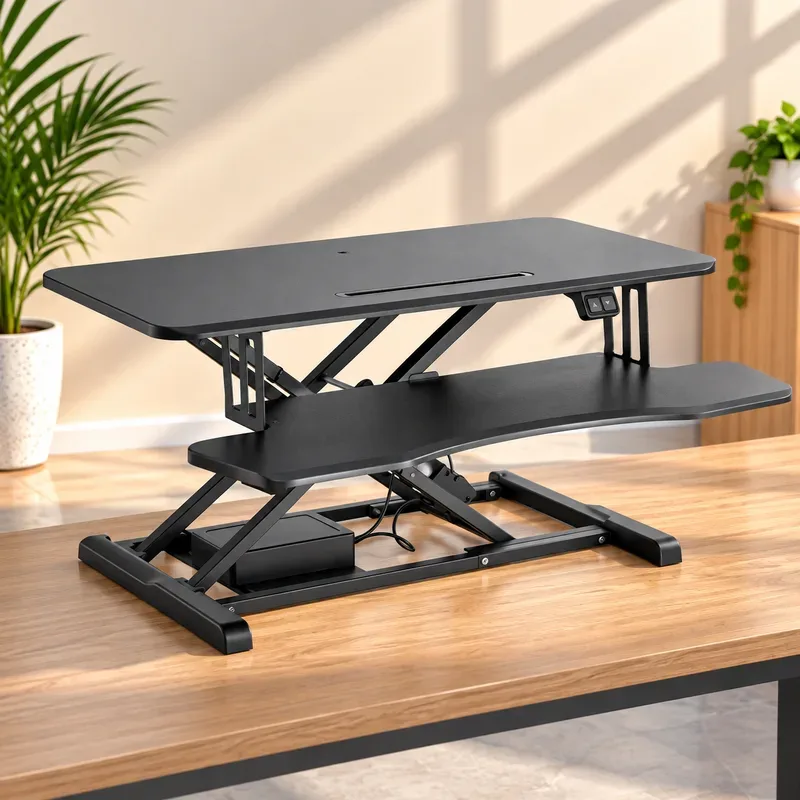
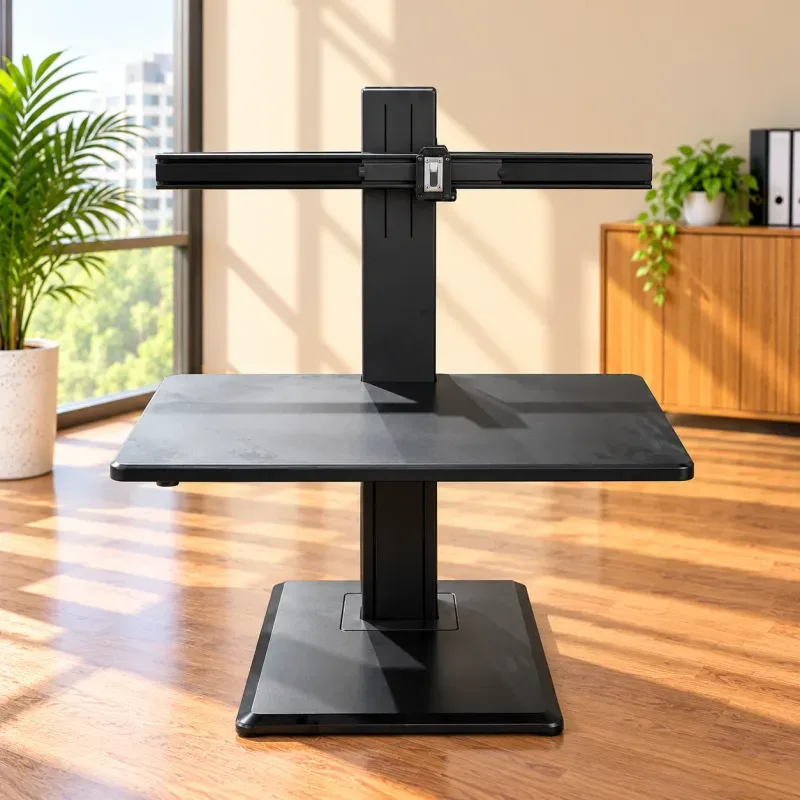
These catalogue illustrations help explain the layouts; they are not condition reports for the unit offered. Request current photos and a demonstration before buying.
For the Humanscale QuickStand Eco dual-monitor listing, ask for the exact model and included mounting components. Humanscale’s APAC reference covers several configurations, so match the documentation to the offered unit rather than borrowing another version’s dimensions or capacity.
The Omnidesk Switch Pro listing shows a different layout. Omnidesk’s product reference describes electric adjustment and separate platform and keyboard load ratings. Confirm the actual specification, correct power components and demonstrated operation; a photograph cannot establish electrical condition.
Check your seated position before the highest setting
Picture yourself typing after lunch, not just trying the lift once. Can you reach the keyboard and mouse comfortably at the lowest setting? Measure your desk’s width, depth and height, and check its construction. Obtain the converter’s base size separately from its upper-platform size.
Ask for the lowest and highest position of the actual keyboard-support surface above your desk. Allow room for your mouse, viewing distance and any forward movement during lifting. Check nearby walls, shelves and partitions. Cables need enough slack throughout the movement, without entering the mechanism or blocking controls. Our space-planning guide helps with room and access measurements.
A quick height check
Illustrative measurements, not product specifications: a 740 mm desk plus a keyboard tray 60–440 mm above it gives a tray height of 800–1,180 mm from the floor. Check both ends against your seated and standing positions; add the keyboard’s thickness when judging typing height.
The aim is comfortable changes of position, not standing all day. OSHA’s workstation guidance recommends relaxed shoulders, supported feet when seated and regular changes of position.
Remember what your old desk has to carry
Your desk carries the converter itself, the equipment on it and everything else already on the desk. For illustration, a 20 kg converter, 12 kg of monitors and 3 kg of accessories add 35 kg before other objects. This is not a rating for either listed product.
Check the supporting desk’s capacity separately from the converter’s limits. Distinguish the work platform, keyboard tray and each monitor mount, and follow the exact unit’s manual and load-distribution requirements. One advertised weight limit does not answer all those questions.
Three checks before you pay for a used converter
- Make sure your equipment fits. Match each monitor’s mounting-hole pattern, weight and dimensions. Confirm all plates, brackets, screws and retainers are included. “Dual monitor” does not mean every necessary part is there.
- Watch it work. Ask for a demonstration with an appropriate load within the manufacturer’s limits. Check smooth movement, holding position and stability during normal typing. Inspect the base, platform, joints and fasteners for damage or missing parts; keep hands clear of moving mechanisms.
- Check power and sale terms. For an electric model, verify the controls and correct supply or cable. Do not power visibly damaged wiring or improvise electrical replacements; seek competent assessment. Record the exact unit, known defects, included parts and any warranty or return terms in writing. Do not assume a new-product warranty applies.
Frequently asked questions
Can a standing desk converter go on any desk?
No. Check the supporting desk’s condition and load rating, the converter’s base and mounting requirements, its movement clearance and whether its lowest and highest keyboard positions suit you.
Can a dual-monitor converter support any two monitors?
No. Check each monitor’s mounting pattern, weight, dimensions and the exact converter’s limits. A dual-monitor crossbar does not guarantee that all brackets, plates and fasteners are included.
Is a used desk converter always cheaper than a new standing desk?
No. Compare the usable total cost, including missing parts, repairs, transport and setup. A converter is better value only when it fits your existing desk and equipment without disproportionate extra costs.
Keep the desk you like—if the setup works for you.
Bring your desk measurements and monitor details when comparing these options. Ask about the actual unit before deciding; there is no need to replace a useful desk just for the sake of it.